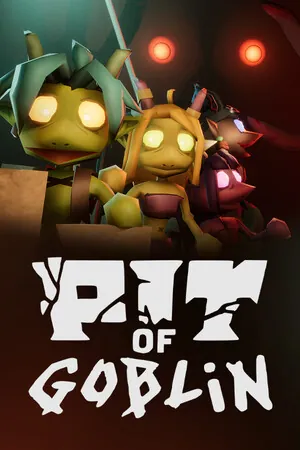
 Pit of Goblin
PIT OF GOBLIN black screen on PC and Xbox
There is no published fix that says it clears a PIT OF GOBLIN black screen on the current build. What exists is one Early Access crash report, a handful of 1.0 launch crashes that are not described as a black screen, and one cloud-gaming report on a Samsung TV.
Sort the symptom before changing settings
On 29 October 2025 a Steam post described the title PIT OF GOBLIN, then a black screen and a crash. The thread had no replies, and the game was still in Early Access. November 2026 crash posts talk about loading stuck near 97 percent, performance, and a PC that shuts down. Those are different symptoms. Patch 1.0.4.1 fixes lost items when magic is equipped. It does not mention a black screen, so I am not sending you there for this.
Change one thing at a time and write down what changed. That is the ordinary troubleshooting order, not a claim that any single step is proven for this game.
PC checks, then the log the developer asked for
On Steam, verify the game files from the installed-files tab. Restart, install pending system updates, and confirm you meet the posted minimum: 64-bit Windows 10, an i5-7400 class CPU, 8 GB of memory, a GTX 1050 class GPU, DirectX 11, and 2 GB free. Update the GPU driver from NVIDIA, AMD, or Intel. Try again with Steam, Discord, and other overlays closed. Those steps come from Steam’s own file-check help and general PC gaming notes, not from a PIT OF GOBLIN patch.
If it is still black, the developer’s reply on a crash thread asks for the log at %localappdata%low\Friendly Foe\Pit of Goblin\Player.log, sent to [email protected]. I do not have a public config-file name to delete. PCGamingWiki leaves the config location blank, so I will not invent one.
Xbox console and cloud
For an Xbox console, the public steps are a restart, a reinstall, and a system update. I do not have a PIT OF GOBLIN black-screen thread that is specific to the console app.
For cloud play, try another device or browser and check the network. The one concrete report is a Samsung QN90A on Tizen OS 6.0 that could not start the game. The thread does not end with a fix.
Questions
Does patch 1.0.4.1 fix the black screen?
No. That note is about items vanishing from a save when magic is equipped.
Should I delete a config file?
Not from this page. No public source names the config file.
Related
Sources
- Steam store page for PIT OF GOBLIN — checked 2026-11-06
- Steam discussion: black screen, 29 Oct 2025 — checked 2026-11-06
- Steam discussion: crash log path — checked 2026-11-06
- Steam: verify game files — checked 2026-11-06
- Reddit r/xcloud Samsung TV report — checked 2026-11-06
Full ledger: sources and check dates.